3 Cybersecurity Checks Everyone Should Do Today
Introduction
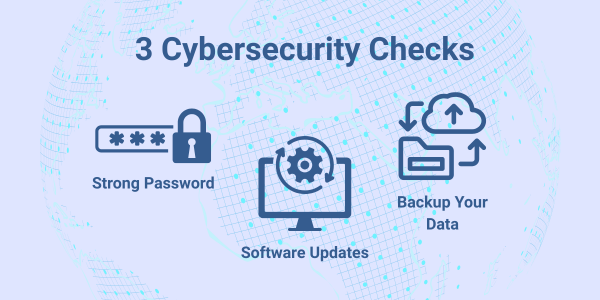
In today's hyper-connected world, cybersecurity is no longer optional—it's essential. From social media accounts to banking apps, our digital footprint is growing, and so are the risks. Thankfully, protecting yourself doesn't have to be complicated. In this article, we'll explore three simple yet powerful cybersecurity checks that anyone can do to boost their online safety.
Why Cybersecurity Matters More Than Ever
The Rise in Cyber Attacks
Cybercrime is skyrocketing, with reports showing that attacks occur every 39 seconds. Whether it's ransomware, identity theft, or phishing, no one is immune.
Common Consequences of Cyber Negligence
Ignoring cybersecurity can lead to stolen personal information, drained bank accounts, compromised devices, and even reputational damage.
Simple Prevention Goes a Long Way
Fortunately, small steps like strong passwords and software updates can drastically reduce your risk.
Cybersecurity Check #1: Use Strong, Unique Passwords
Why Password Strength Is Crucial
Passwords are your first line of defense. Weak or reused passwords make it easy for cybercriminals to breach your accounts.
Characteristics of a Strong Password
- At least 12 characters long
- Includes uppercase, lowercase, numbers, and symbols
- Unique for each account
Password Manager Tools: Pros and Cons
Tools like 1Password or Bitwarden can generate and store complex passwords, making life easier. However, they require a strong master password and regular updates.
Action Step: Test Your Passwords
Use tools like HaveIBeenPwned to check if your credentials have been compromised.
Cybersecurity Check #2: Keep Your Software Up to Date
How Outdated Software Makes You Vulnerable
Cybercriminals exploit known vulnerabilities in outdated software to gain unauthorized access to devices and networks. Regular updates patch these security holes.
Examples of Recent Exploits Due to Unpatched Software
Notorious cyberattacks like WannaCry ransomware and the SolarWinds breach were largely successful due to outdated or unpatched systems.
Automating Updates: A Time-Saving Tip
Most modern operating systems and apps allow you to enable automatic updates. This ensures you're always protected without the need to manually check for updates.
Action Step: Turn on Automatic Updates
Check your device settings today and enable automatic updates for your operating system, apps, and antivirus software.
Cybersecurity Check #3: Backup Your Data Regularly
Why Data Backups Are Critical
Whether it's a cyberattack, hardware failure, or accidental deletion, losing your data can be devastating. Backups are your safety net.
Types of Backups: Local vs. Cloud
- Local Backup: External hard drives or USB devices you control.
- Cloud Backup: Remote storage services like Google Drive, iCloud, or Dropbox.
Using both provides maximum protection.
Best Practices for Secure Backups
- Back up regularly (daily or weekly recommended)
- Encrypt your backups for added security
- Test your backups to ensure they work
Action Step: Set Up an Automated Backup Today
Explore options like Apple's Time Machine, Windows Backup, or reputable cloud services to start backing up your important files.
Additional Cyber Hygiene Tips (Optional But Recommended)
Enable Two-Factor Authentication (2FA)
Adding a second layer of security helps prevent unauthorized access, even if your password is compromised.
Be Cautious with Public Wi-Fi
Avoid accessing sensitive accounts over public networks or use a reputable VPN for added protection.
Recognize Phishing Attempts
Be skeptical of unsolicited emails, texts, or links. Check sender addresses and never share personal information unless verified.
Common Myths About Cybersecurity
"It Won't Happen to Me"
Many believe they aren't targets, but cybercriminals often rely on this false sense of security. Everyday users are frequently attacked because they are seen as easy targets.
"Strong Antivirus Is Enough"
While antivirus software is helpful, it's only part of the solution. Without strong passwords, updates, and backups, you're still vulnerable.
"Backups Are Only for Businesses"
Data loss affects individuals as much as companies. Photos, documents, and personal records are priceless—back them up regularly.
Quick Cybersecurity Checklist
- ✅ Use strong, unique passwords
- ✅ Keep software updated
- ✅ Backup data regularly
- ✅ Enable two-factor authentication (2FA)
- ✅ Stay alert for phishing attempts
Real-Life Cybersecurity Failure Examples
Celebrity Account Hacks
High-profile figures like Mark Zuckerberg and Taylor Swift have had their accounts compromised due to weak passwords or poor security practices.
Ransomware Lockouts
Hospitals, schools, and even city governments have faced operational shutdowns after ransomware encrypted critical data, often due to poor backups or outdated systems.
Small Business Data Loss Stories
Many small businesses have suffered data loss and bankruptcy due to cyberattacks that could have been prevented with basic security measures.
How Cybersecurity Protects Your Family & Finances
Securing Smart Home Devices
Smart speakers, cameras, and appliances need strong passwords and updates to prevent unauthorized access.
Protecting Online Banking and Shopping
By using strong passwords, 2FA, and secure connections, you can reduce the risk of fraud and identity theft while shopping or banking online.
Safeguarding Children's Devices
Children's tablets and phones are often overlooked but need the same cybersecurity attention as adult devices. Use parental controls and keep software up to date.
Tools & Resources for Everyday Users
- Free Password Managers: Bitwarden, NordPass Free
- Backup Solutions: Google Drive, iCloud, Backblaze
- Security News: Krebs on Security, Cybernews.com
Conclusion: A Few Minutes Can Save You Major Headaches
Cybersecurity doesn't have to be complicated or time-consuming. With strong passwords, regular software updates, and frequent data backups, you can dramatically reduce your exposure to cyber threats. Take action today—it only takes a few minutes to boost your digital security and peace of mind.
5 Unique FAQs
How often should I change my passwords?
Every 3 to 6 months for critical accounts like email, banking, and social media is recommended. Also, change them immediately if a breach is suspected.
What if my device is too old for updates?
Unfortunately, outdated devices become high-risk targets. Consider replacing devices that no longer receive security updates.
Are free backup solutions safe?
Yes, as long as you use reputable providers and enable encryption where possible. Paid options often offer more features but free plans can still be effective.
How can I recognize a phishing email?
Look for suspicious sender addresses, grammar mistakes, urgent language, and unexpected links or attachments. When in doubt, don't click.
Is antivirus software still necessary?
Yes. While it's only one part of your defense strategy, reputable antivirus software provides essential protection against malware and other threats.